
| 일 | 월 | 화 | 수 | 목 | 금 | 토 |
|---|---|---|---|---|---|---|
| 1 | 2 | |||||
| 3 | 4 | 5 | 6 | 7 | 8 | 9 |
| 10 | 11 | 12 | 13 | 14 | 15 | 16 |
| 17 | 18 | 19 | 20 | 21 | 22 | 23 |
| 24 | 25 | 26 | 27 | 28 | 29 | 30 |
| 31 |
- Linux
- Raspberry
- avr-gcc
- Debug
- GPIO
- 회로
- C++
- Arduino
- c#
- buildroot
- WPF
- cpp
- nucleo
- QEMU
- 라즈베리파이
- UART
- yocto
- vscode
- STM32
- bare metal
- AArch64
- esp32
- raspberrypi
- Debugging
- atmel
- Visual Studio Code
- 디버깅
- AVR
- Visual Studio
- 아두이노
- Today
- Total
임베디드를 좋아하는 조금 특이한 개발자?
[ZYBO-Z7-10] Digilent Vivado 예제 프로젝트 열기 본문
- 개발 환경
Window 11 (버전 24H2)
Vivado 2025.2
개발보드 : ZYBO-Z7-10
- 참고 문서
https://digilent.com/reference/programmable-logic/guides/vitis-unified-installation
1. FPGA 개발 보드 설정 파일 다운로드
https://github.com/Digilent/vivado-boards/tree/fix_hdmi_interfaces
GitHub - Digilent/vivado-boards at fix_hdmi_interfaces
Contribute to Digilent/vivado-boards development by creating an account on GitHub.
github.com
위 Github repo에 접속하여 파일을 다운로드받습니다.
주의 사항)
Digilent에서 아직 예제를 최신화하지 않아서 master 브랜치를 사용하면 에러가 발생합니다.
fix_hdmi_interfaces 브렌치의 파일을 사용해야 에러가 발생하지 않습니다.
git clone -b fix_hdmi_interfaces https://github.com/Digilent/vivado-boards.git
다운로드받은 폴더 안에 있는 new/board_files를 관리하기 편한 위치로 옮겨 줍니다. 저의 경우는 "문서 폴더"에 Vivado 폴더를 생성하여 관리하고 있습니다.
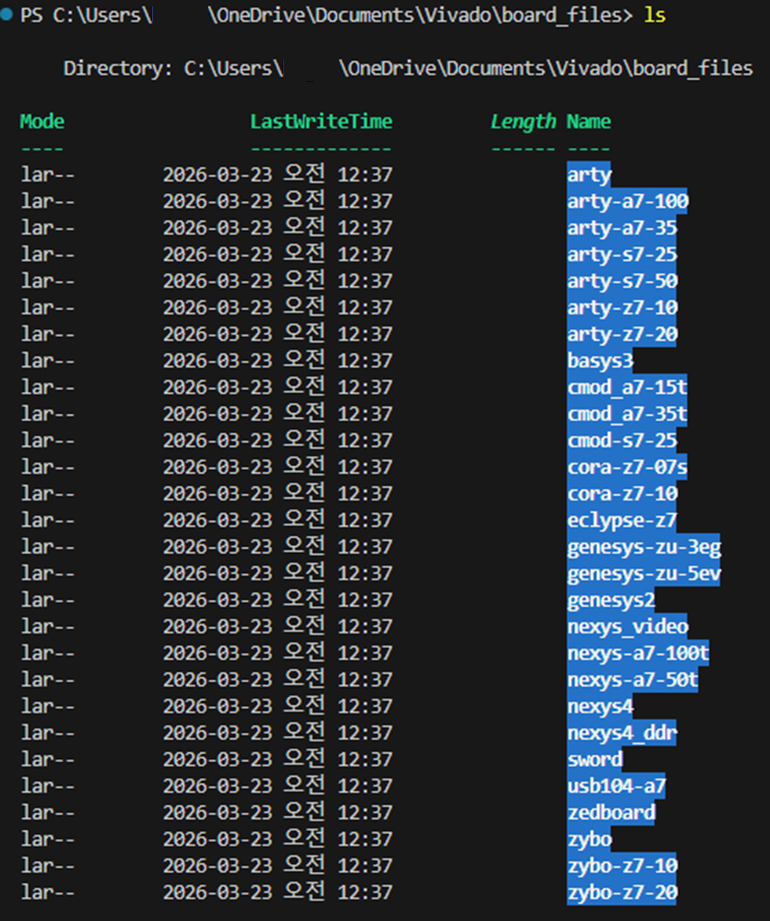
2. Vivado 프로그램에서 board file 위치 설정
Tools -> Setting 선택
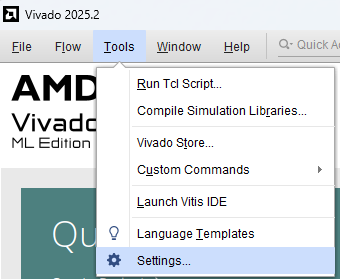
Tool Settings -> Vivado Store -> Board Repository 선택
'+' 를 선택하여 Board_files의 위치 지정

board_files 위치 선택

3. TCL 스크립트로 Vivado 프로젝트 생성
이번에는 간단하게 DMA 프로젝트를 생성해 보도록 하겠습니다.
- DMA 예제 설명 문서
https://digilent.com/reference/programmable-logic/zybo-z7/demos/dma-audio
- DMA 예제 관련 프로젝트 파일
https://github.com/digilent/zybo-z7/tree/10/DMA/master
GitHub - Digilent/Zybo-Z7 at 10/DMA/master
Contribute to Digilent/Zybo-Z7 development by creating an account on GitHub.
github.com
# git clone
git clone -b 10/DMA/master https://github.com/Digilent/Zybo-Z7.git

# 내부 submodule clone
cd .\Zybo-Z7
git submodule update --init --recursive
주의 사항)
hw\proj 폴더 안에 Vivado 프로젝트와 관련된 파일이 있으면 오류가 발생합니다.
Tools -> Run Tcl Script 선택

hw/scripts 폴더로 이동한 후 checkout.tcl 파일을 선택합니다.

프로젝트 생성 완료
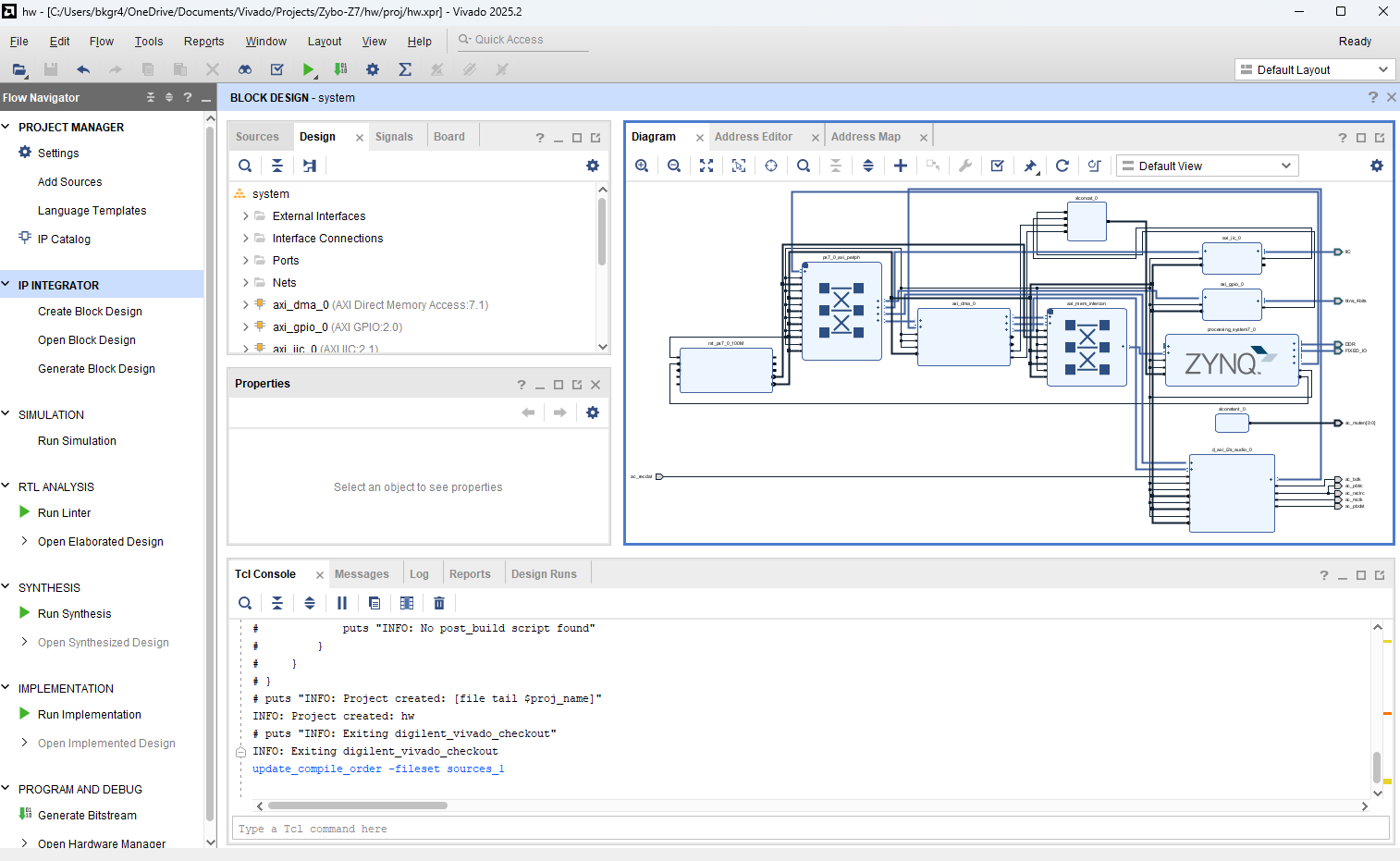
해당 프로젝트의 파일들은 hw/proj 안에 생성됩니다. 그러므로 hw/proj 안에 vivado 프로젝트 파일이 있게 되면 파일이 중복되어 에러가 발생합니다.